

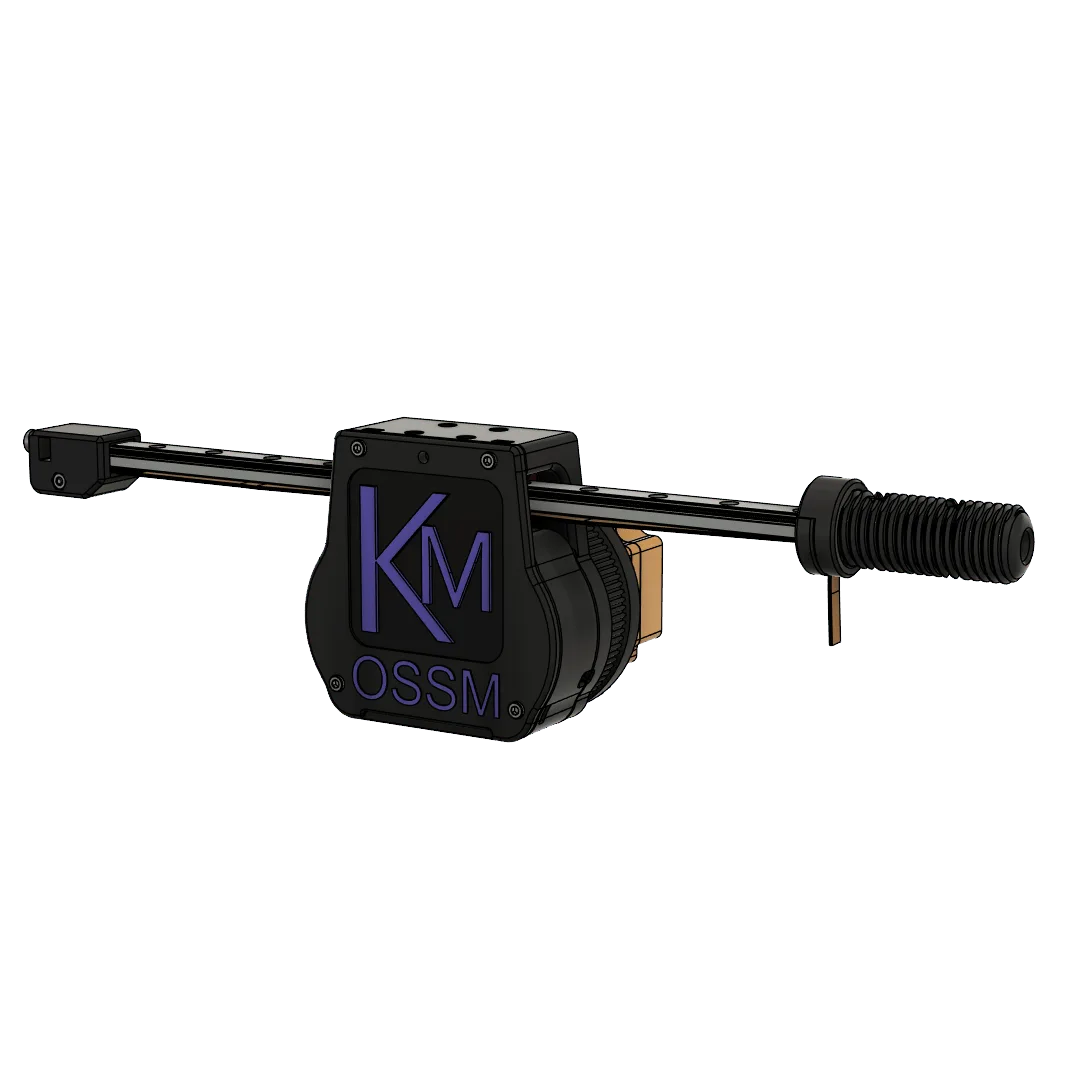
Print Settings
Printed Parts
Troubleshooting: 24mm Clamping Thread
Troubleshooting: 24mm Clamping Thread
If you have issues printing the 24mm Clamping Thread, use the Non-standard 24mm Thread and Belt Clamp files instead. These require additional hardware:
- (Qty 2) M3x8
- (Qty 1) M3x16
- (Qty 3) M3 Hex Nut
Bill of Materials
Motor and Linear Rail
Calculate your rail length: desired maximum stroke + 180mm.You must use an MGN12H rail. The “H” designates a longer bearing block than “C” for greater stability. The “12” indicates a 12mm rail width.
Hardware
Assembly
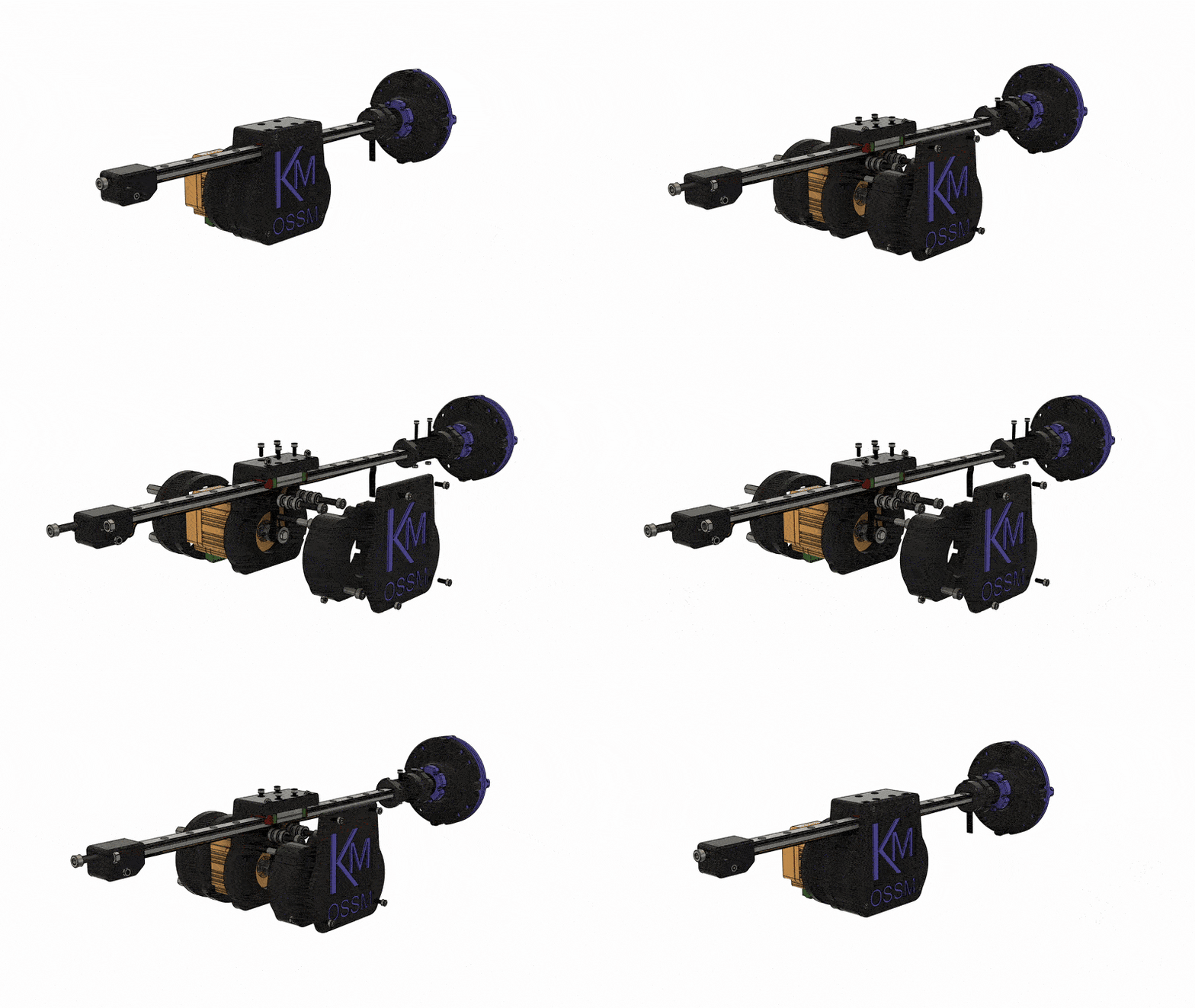
Animated exploded view of actuator assembly

Exploded view - front angle

Exploded view - alternate angle
Before You Begin
- Ensure all printed threads are clean and free of stringing. Test-fit the 24mm threaded parts by hand only.
- Lightly deburr belt paths and bearing seats on printed parts as needed.
- Gather metric hex keys and a small flathead screwdriver for set screws and terminal blocks.
Build Steps
1
Prepare the linear rail
Verify your rail matches the required spec (MGN12H). Slide the carriage through its full travel; it should feel smooth with no catches.
Carriage moves freely across the entire rail without binding.
2
Assemble the body stack
Position Body - Bottom and Body - Middle. Align mounting holes and loosely fasten the parts so you can make minor adjustments during alignment. Add Body - Cover later after belt routing.
3
Install bearings and tensioner
Press-fit the MR115-2RS bearings into the Belt Tensioner and any designated idler pockets in the body. The bearings should seat flush and spin freely.
All bearings are fully seated and rotate without rubbing printed walls.
4
Mount the pulley
Fit the 20T GT2 pulley (8mm bore, 10mm width) on the drive shaft and align it with the belt path. Secure set screws against a flat on the shaft if available.
5
Route the belt (reference images below)
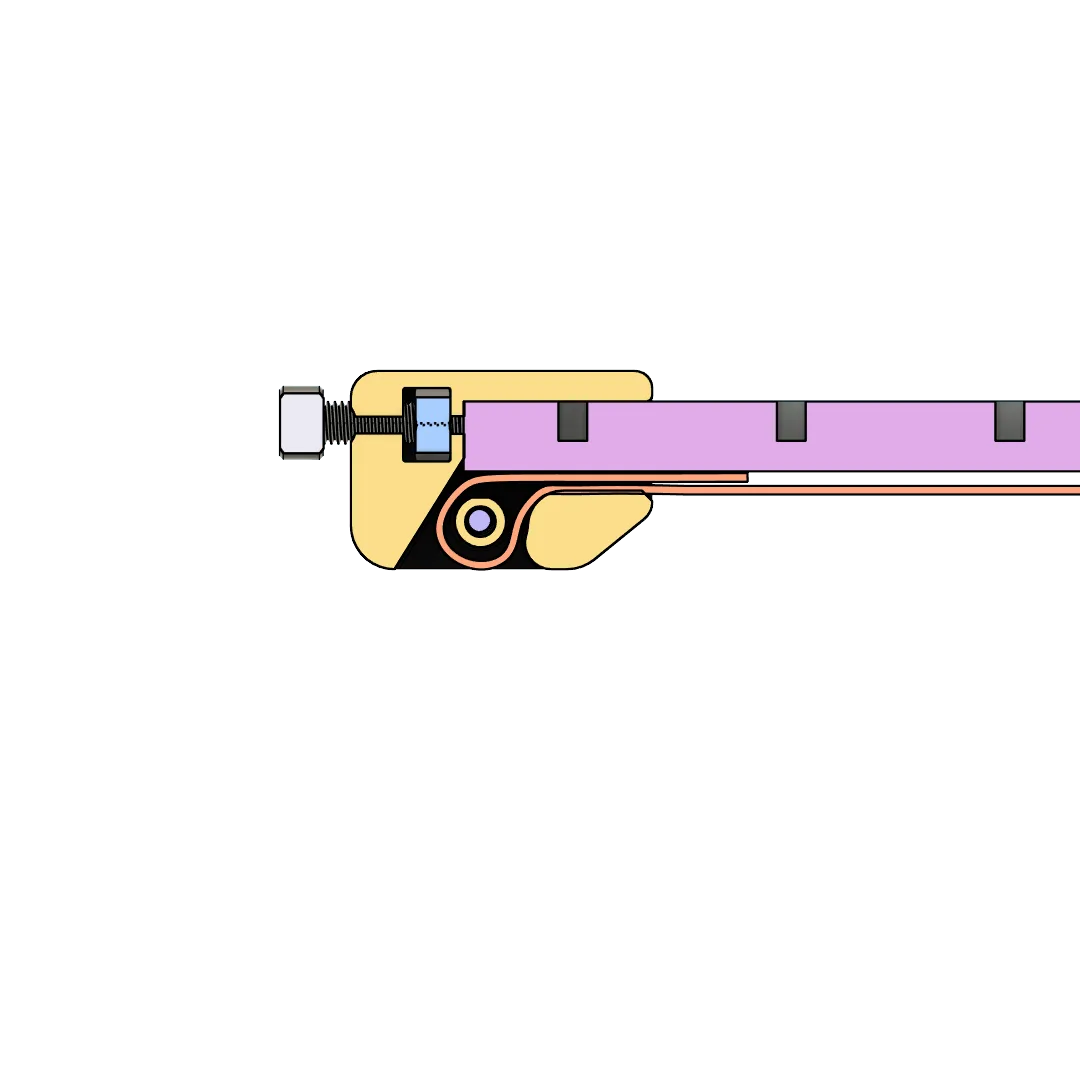
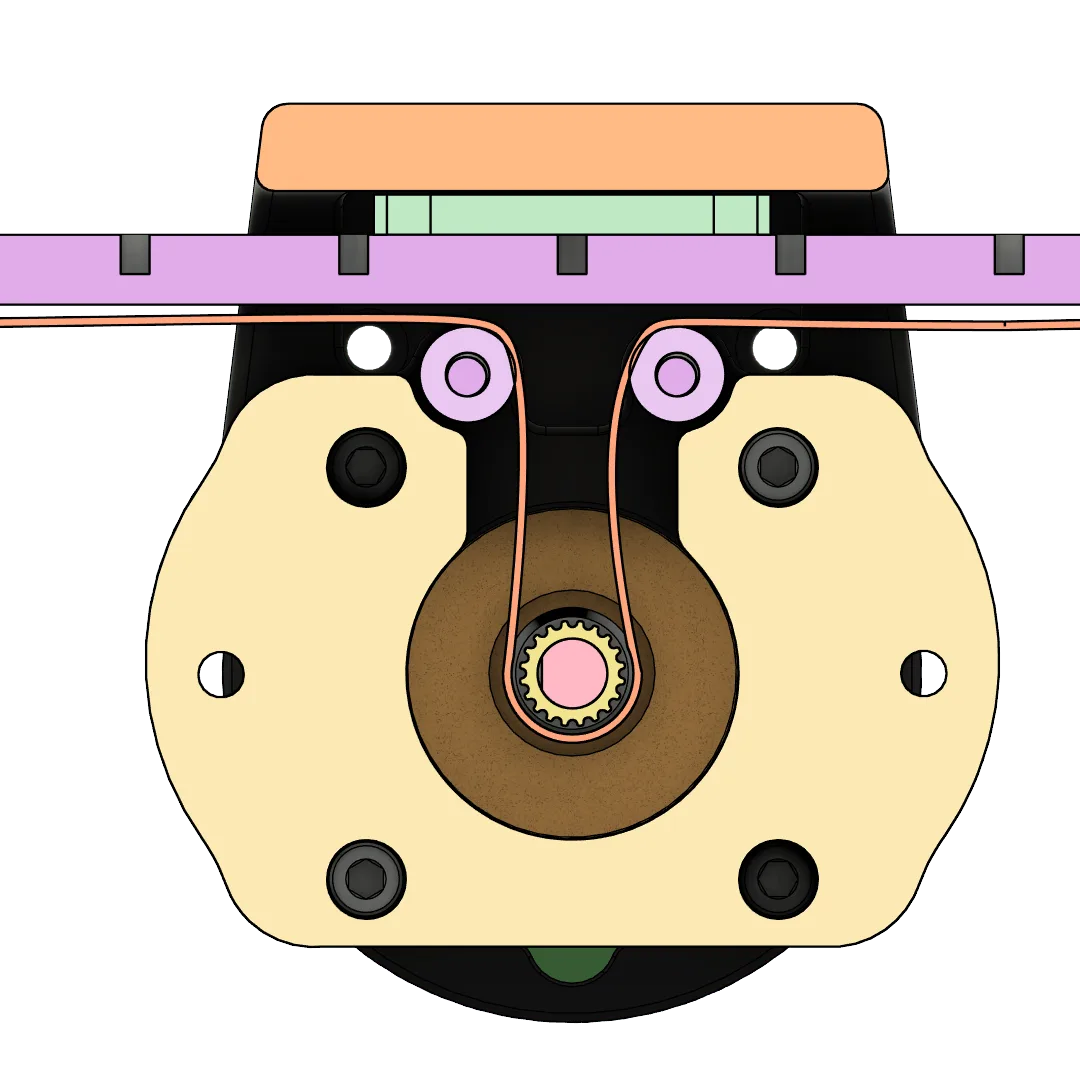
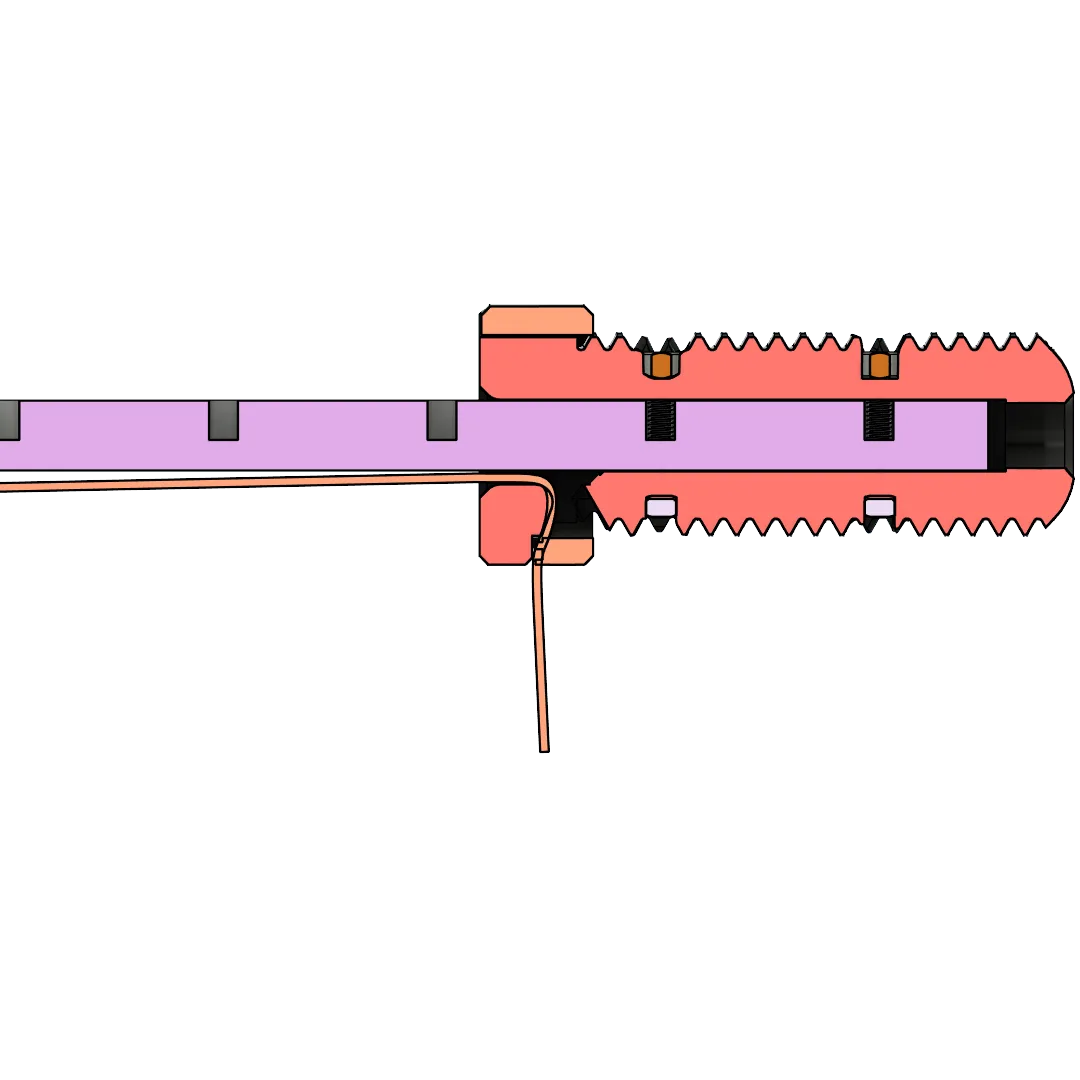
Feed the 10mm GT2 belt through the body following the Tensioner → Body → Belt Clamp path. Leave equal tail length at the clamp for final tensioning.
Belt teeth fully engage pulley teeth; belt is not twisted.
6
Install the 24mm clamping interface
Assemble the 24mm Clamping Thread - End Effector and Belt Clamp with the two 24mm 5-sided nuts. Hand-tighten only during initial fit.
7
Set belt tension and close the body
Use the Belt Tensioner to remove slack until the belt is taut and tracks true during manual motion. Once satisfied, install the Body - Cover and tighten all hardware progressively.
With light hand motion, the carriage moves smoothly and returns without skipping teeth.
Belt Routing
Route the GT2 timing belt through the actuator body following these reference images:Tensioner
Body
Belt Clamp
Next Steps
Flash firmware
Use the web flasher to install the latest firmware on your OSSM or RADR.
Wire your motor
Connect the Gold Motor (57AIM30) correctly before first power-on.
Program your motor
Configure third-party motors before first use.